
How to Use Atlas
Everything you need to know to get the most out of your charter management platform. Follow our step-by-step guides and become an Atlas expert.
Manage All Your Bookings
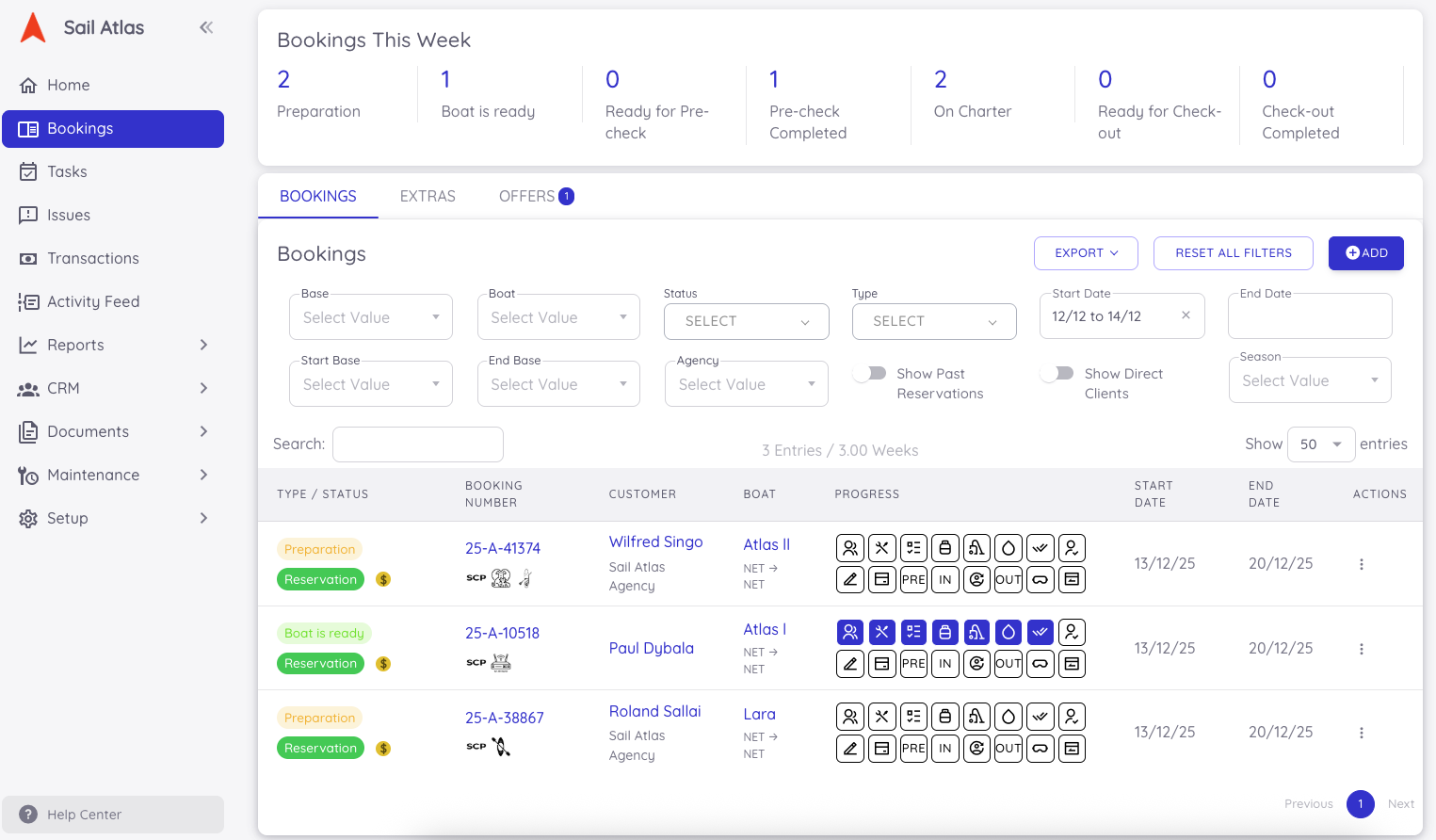
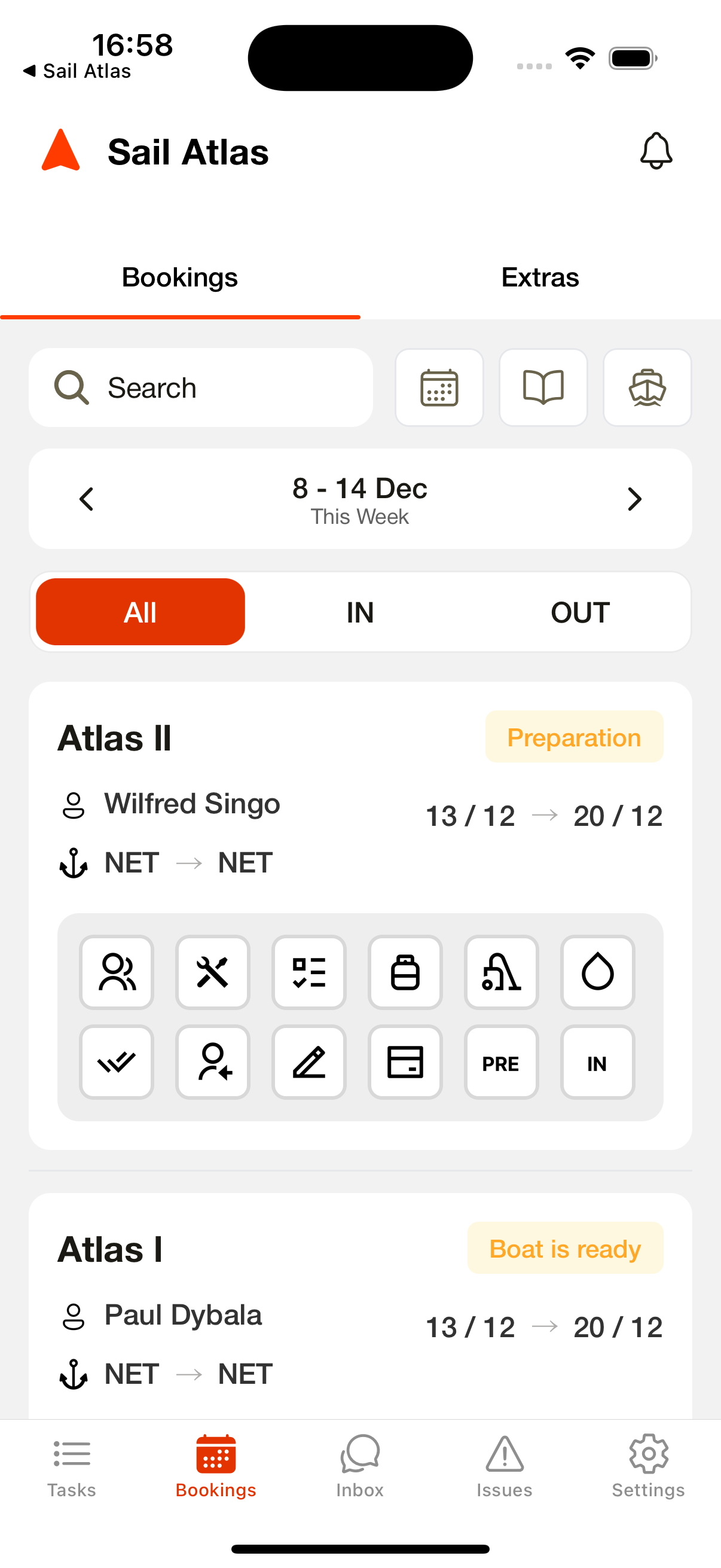
The Sail Atlas Booking Lists allow you to manage all bookings quickly and efficiently from a single screen. Accessible via both the web dashboard and the Operation App, the list provides a clear weekly overview of all bookings, including boat details, customer information, check-in/check-out dates, and operational status. With advanced search and filtering options such as Start Date, End Date, Boat, Status, and Base, you can narrow down large datasets and instantly locate any reservation. The Booking List helps operational teams streamline on-site workflows while giving management full visibility of the fleet’s current status at a glance.
Booking List
All reservations are managed from a single Booking List available on both the Dashboard and the Operation App, giving teams a clear weekly overview of boat details, customer information, dates, and operational status. With advanced search and filters (date range, boat, status, base), teams can instantly locate any booking and keep full fleet visibility at a glance.
Sharing Booking Access with the Customer App
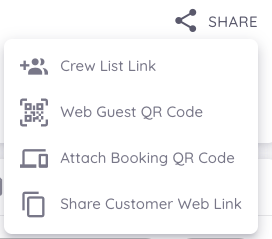
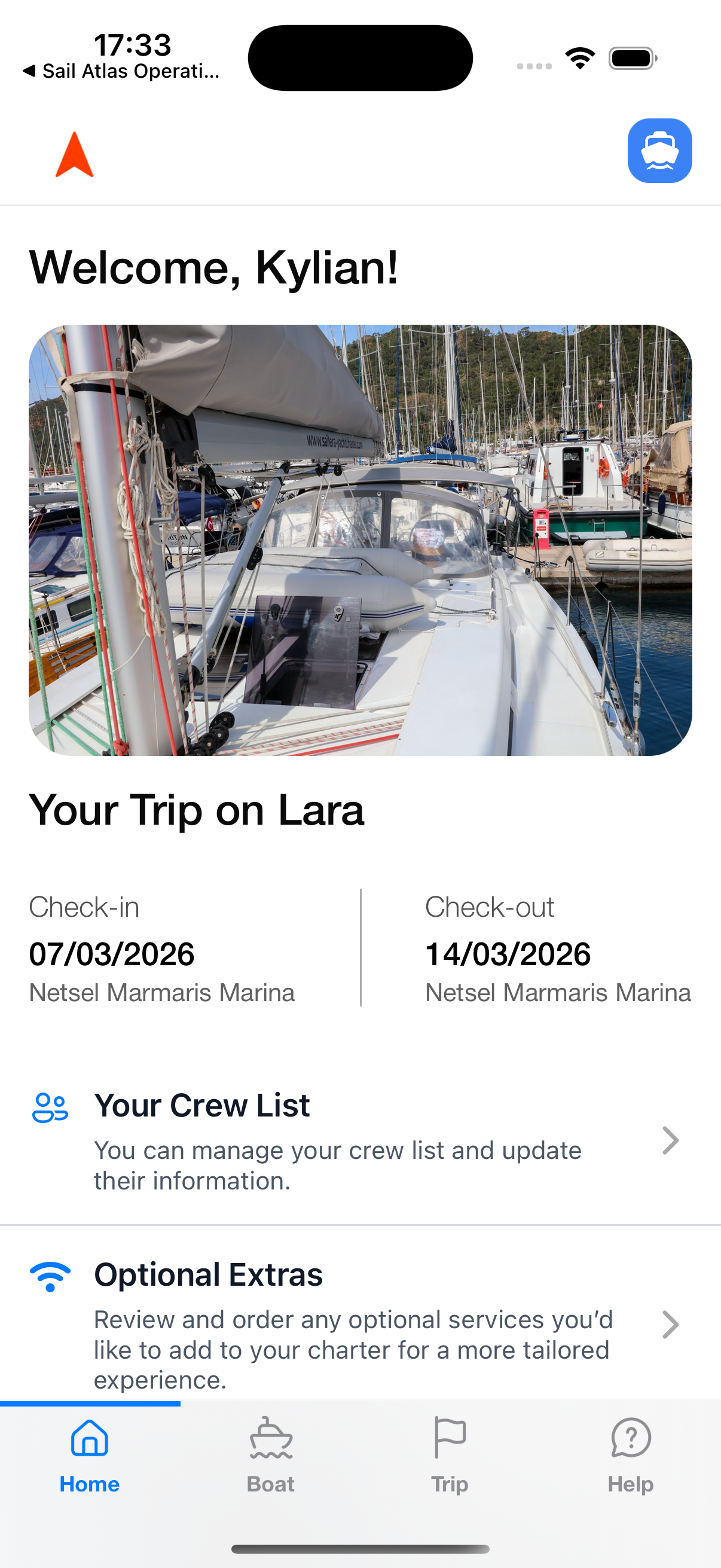
To allow guests to access their reservation in the Customer App, booking access must be shared directly from the Dashboard’s Booking Detail page. Once shared, the guest can securely view booking details through the Customer App, ensuring transparency and reducing the need for manual communication.
Unified Booking Detail Page
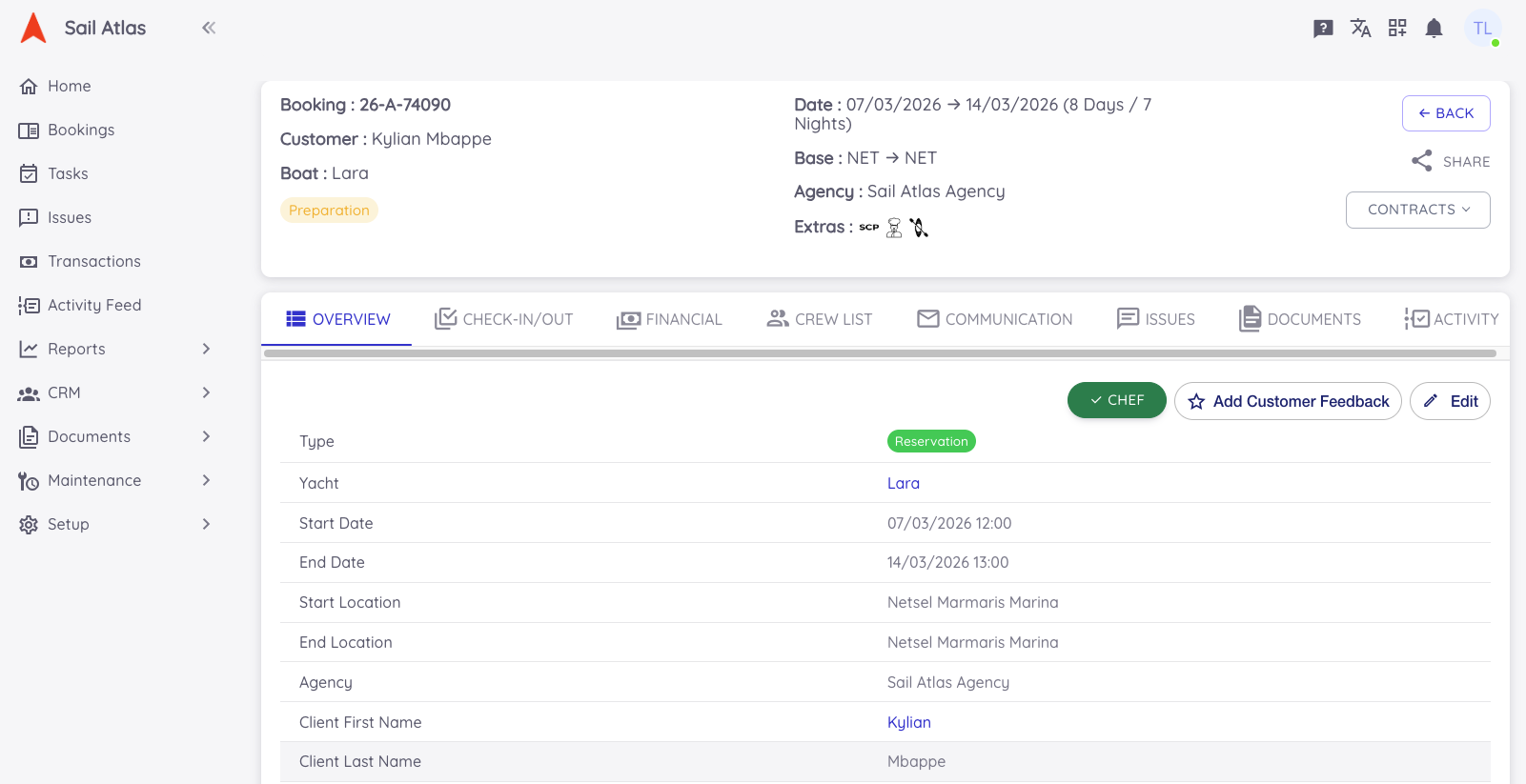
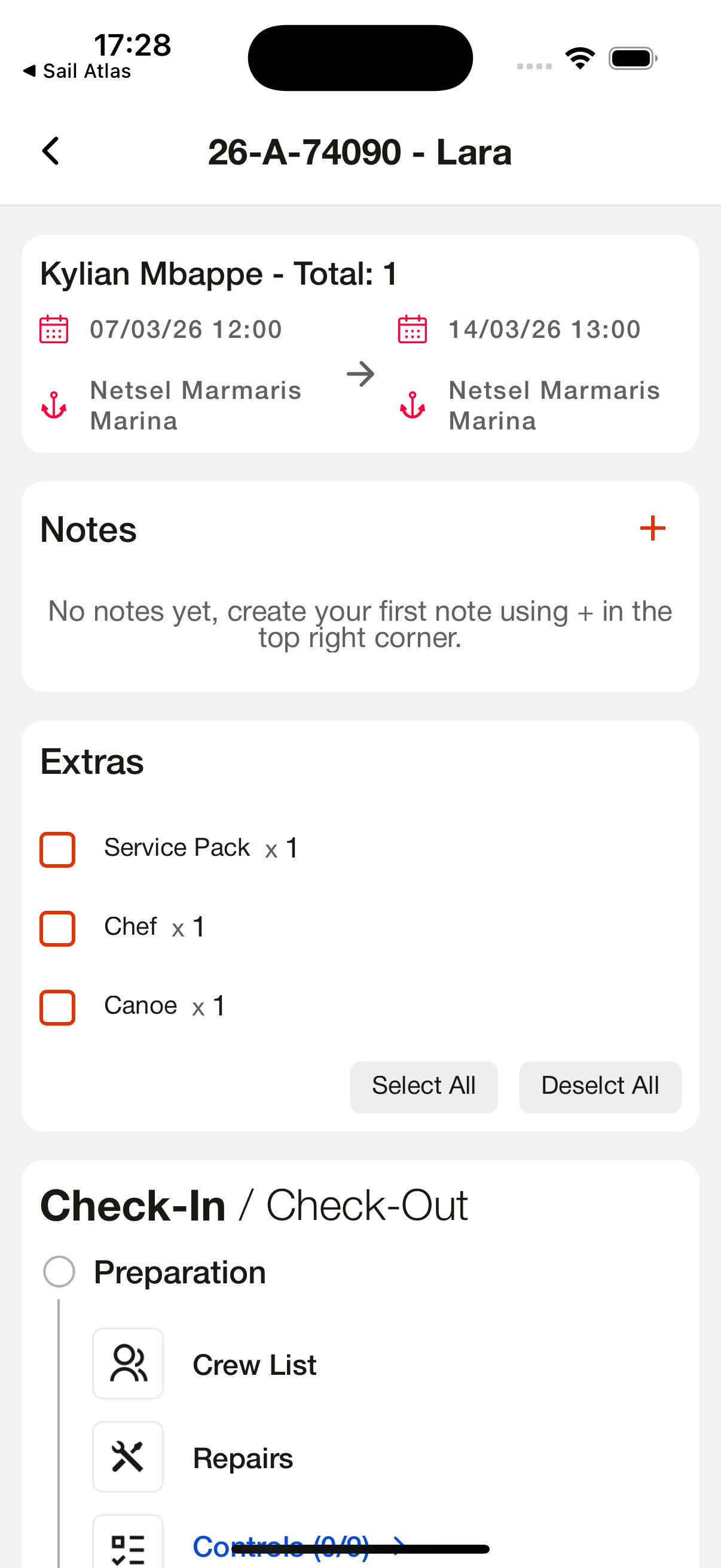
The Booking Detail page acts as the control center for each reservation. It brings together booking data, customer and agency details, financial transactions, communication history, crew list, documents, and the full check-in and check-out workflow. Both management and operational teams can track the booking’s progress in real time from a single, structured interface.
Contracts & Documents Visibility
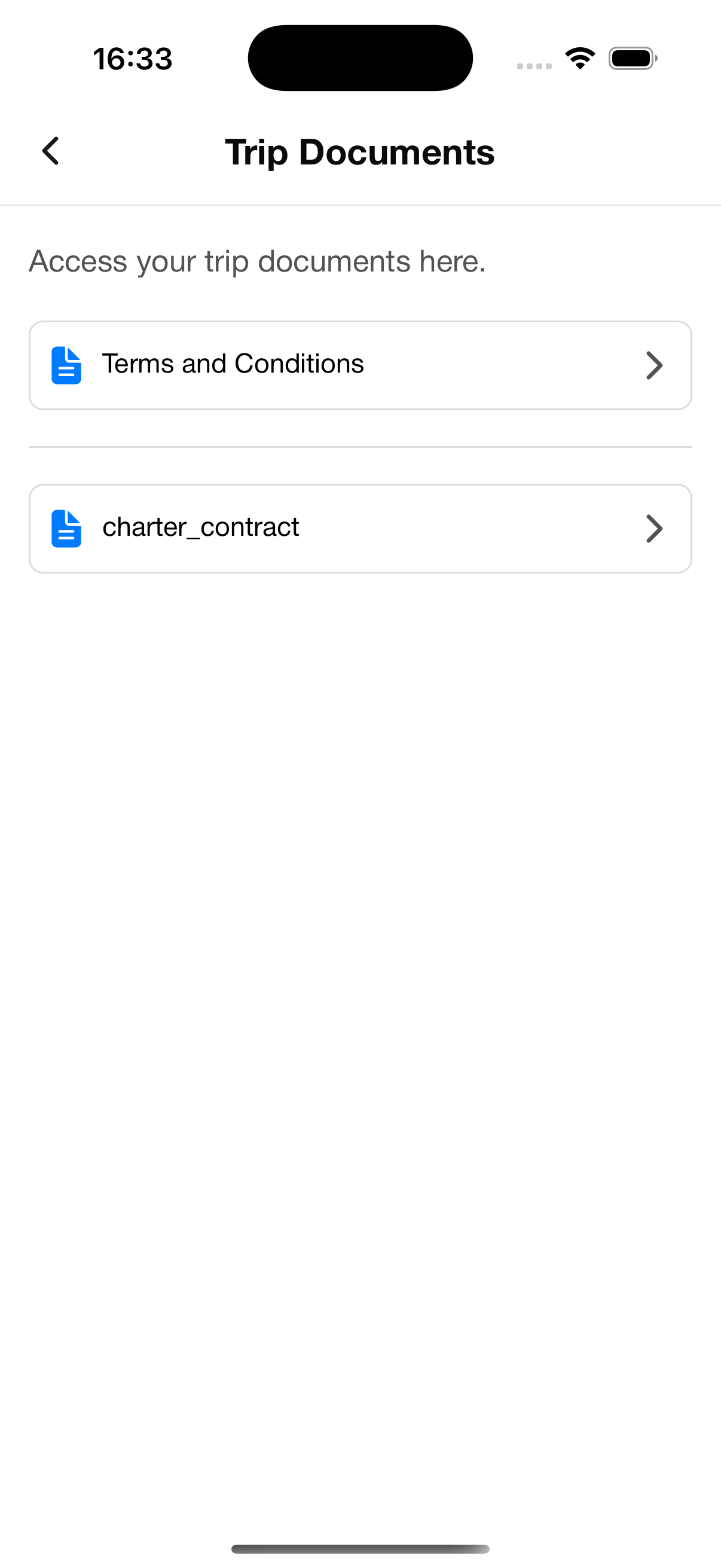
All booking-related documents and contracts are linked directly to the reservation. Operational teams can access them from the Dashboard and Operation App, while guests can view relevant booking information in the Customer App once access is shared, creating a transparent and professional documentation flow.
Crew List Management
Guests can add and edit the full crew list via the Customer App. Crew data is instantly synced to the Dashboard, where the operational team can review, edit, export, and prepare the list before check-in. Atlas AI ID/Passport Scanning accelerates data entry and minimizes errors. For agencies, the Crew Link provides a dedicated and frictionless way to collect crew information without requiring app access.
Automated Guest Email Communication
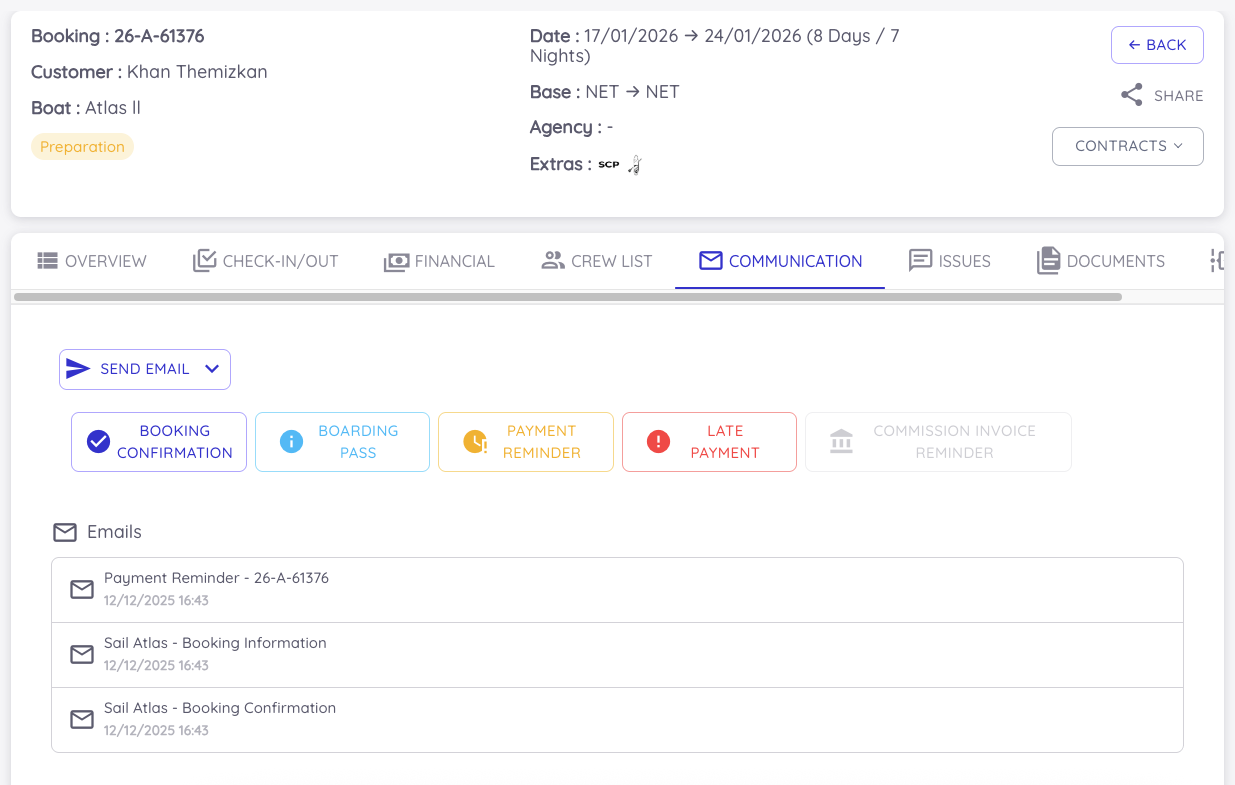
From the Dashboard, teams can send automated emails such as booking confirmations, boarding passes, and payment reminders. All communications are linked to the booking, ensuring guests receive timely updates while maintaining a consistent and professional communication standard.
Extra Orders & Shopping Requests
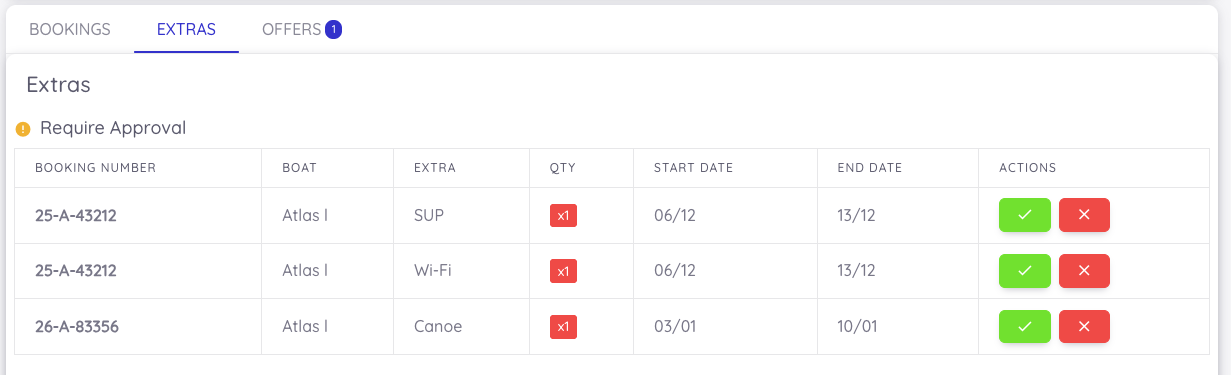
Before arrival, guests can request extra items or shopping products directly through the Customer App. These requests instantly appear as notifications on both the Dashboard and Operation App. Extras that require approval, such as captain or hostess services, are clearly highlighted on the Dashboard for quick confirmation.
Booking Progress
The Booking Progress section provides a structured, step-by-step operational flow covering preparation, client-related tasks, check-in, and check-out. All preparation steps such as cleaning, maintenance, and readiness checks are completed through the Operation App and synced in real time to the Dashboard.
Pre-Check by the Guest (Customer App)
Pre-Check is a convenient pre-arrival inspection process that allows guests to review the boat and report any issues before reaching the marina. Through the Customer App, clients can quickly complete the checklist and highlight a problem by adding a note or photo. This creates a smoother, more transparent onboarding experience and helps prevent delays or misunderstandings during check-in. All Pre-Check submissions are instantly synced with the system and become visible in the booking details for the operational team.
Check-In & Charter Start
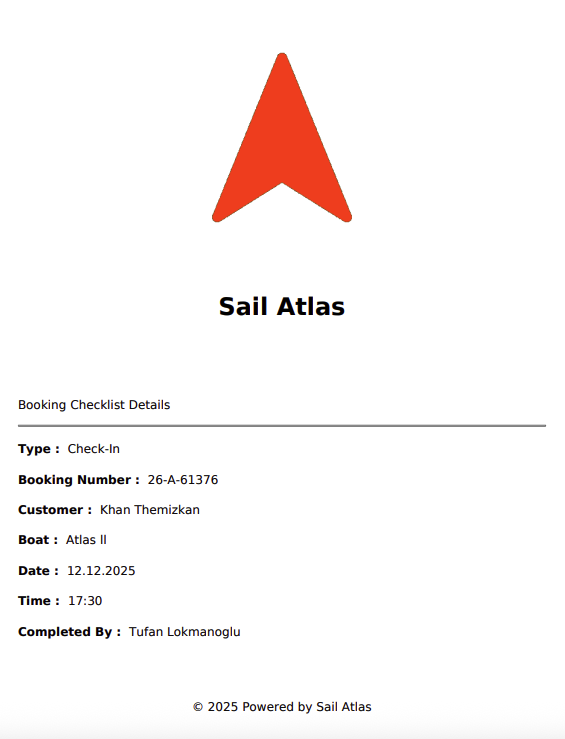
During on-site check-in, the operations team reviews all Pre-Check submissions directly within the workflow. Reported issues can be resolved, marked as completed, or converted into tasks and assigned to team members. Once check-in is completed, the booking status automatically changes to On Charter, indicating that the trip has started.
Boat Guide Access During the Trip (Offline)
While on charter, guests can access the Boat Guide through the Customer App even without an internet connection. The guide includes technical details, safety equipment information, and usage instructions, enabling a safer and more independent onboard experience.
Checkout Request & Guest Review
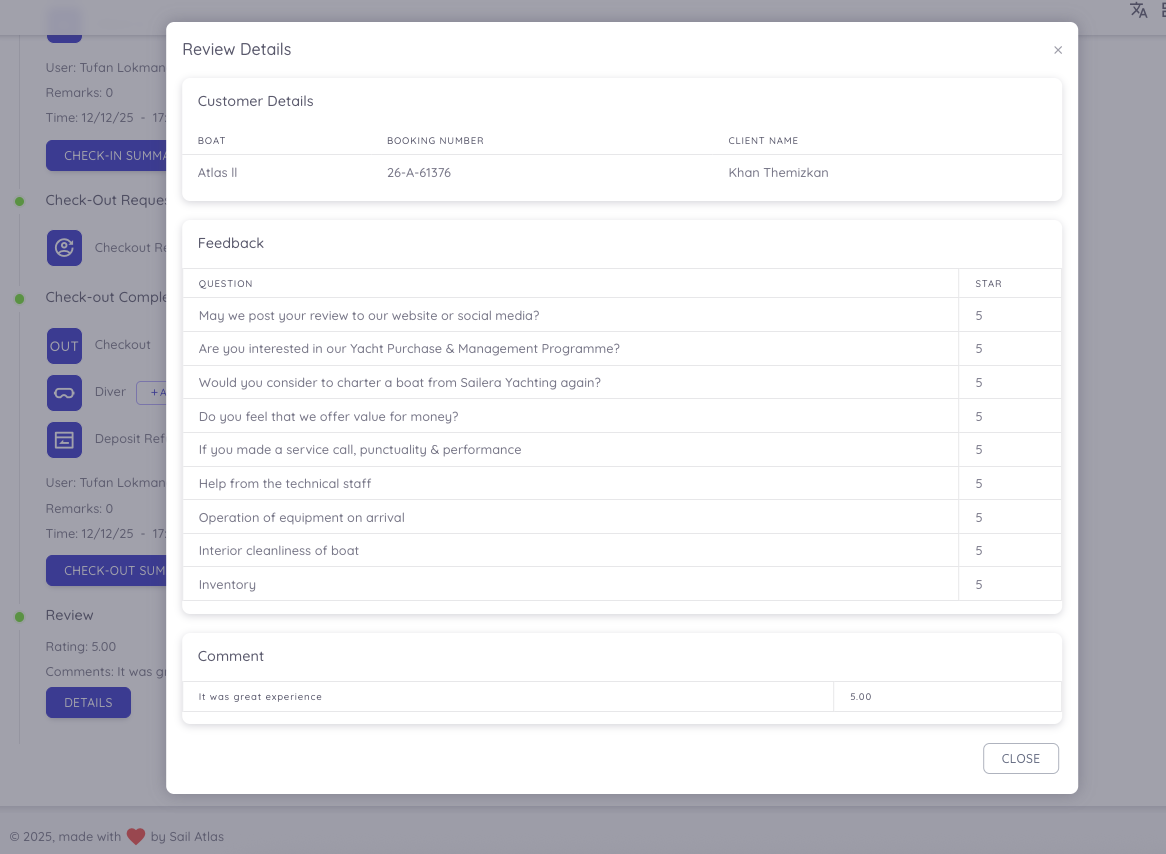
At the end of the booking, guests can send a checkout request and submit a review directly through the Customer App. Collecting feedback immediately after the experience helps capture accurate impressions and close the customer journey smoothly.
Reviews Visibility on the Dashboard
All guest reviews are displayed on the Dashboard, allowing management teams to monitor satisfaction levels, track feedback per booking, and continuously improve service quality.
Final Operational Check-Out
After the guest flow is completed, the operations team finalizes the check-out via the Operation App. Boat condition checks, damage inspections, diver checks, and final confirmations are completed and recorded, officially closing the booking.
Task Management - Operation App
The Task Management section in the Operation App enables teams to track all tasks and projects related to each boat from a single, organized interface. Users can view all tasks, browse project lists, and access every subtask within those projects. Projects can be grouped by boat, task name, or status for easier navigation. Creating a new task takes only a few seconds, and task details can be accessed instantly. Within the task detail screen, users can add photos, record voice notes, write descriptions, and enter running hour information effortlessly. These capabilities allow operational teams to manage all maintenance, repair, and inspection processes efficiently, ensuring smooth and well-documented workflows in the field.
Operation App - Task Creation
Operation App - Task Detail
Project Management on Operatıons App
Task & Project Management on the Dashboard
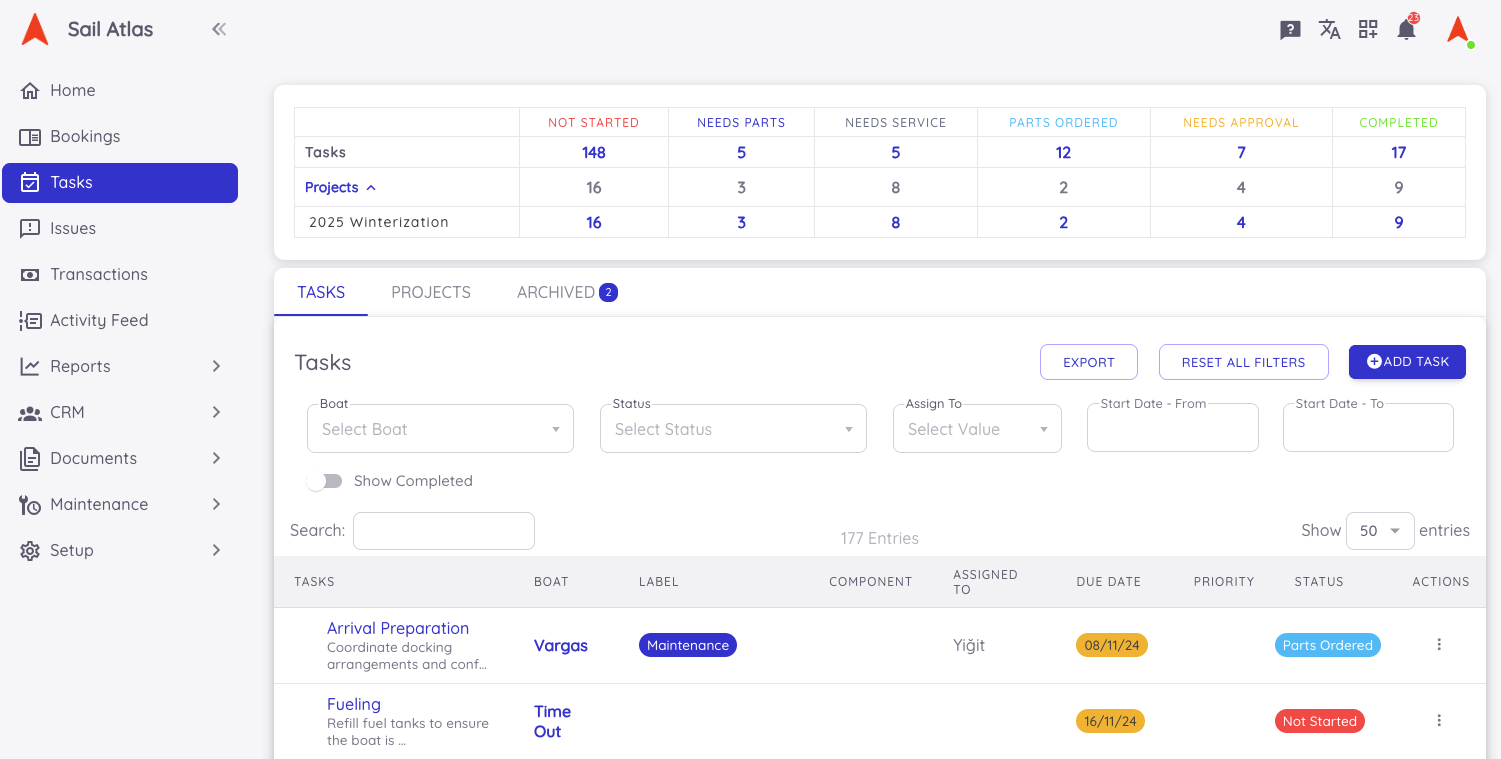
The Sail Atlas web dashboard provides a powerful control center where all tasks and projects can be managed in full synchronization with the Operation App. From the dashboard, users can view, edit, and create tasks for any boat, as well as browse all projects and their subtasks with ease. Tasks and projects can be filtered by boat, task name, or status, giving teams a clean and organized management experience. One of the dashboard’s key strengths is the ability to create project templates. This enables teams to build predefined workflows for large-scale operations such as “Winter Maintenance,” “Pre-Season Preparation,” or “Engine Service Package.” These templates can be applied to any boat or fleet with a single click, helping standardize operational processes, save time, and ensure no critical steps are overlooked.
Dashboard - Task & Project Management
Still Have Questions?
Our support team is here to help you get the most out of Atlas.