
“Are you free that week?” Answer with one link.


Your charters, options and days off in one calendar. Companies open your link, see your free dates and send a request.


For skippers, chefs, hostesses, deckhands and cook-hostesses.





How a request reaches you.
-
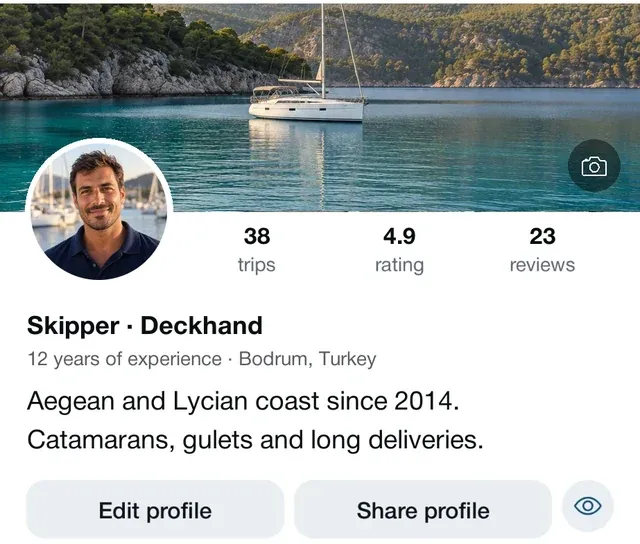
Share your link
Your profile is one link. Send it on WhatsApp, by email, wherever you like.
-
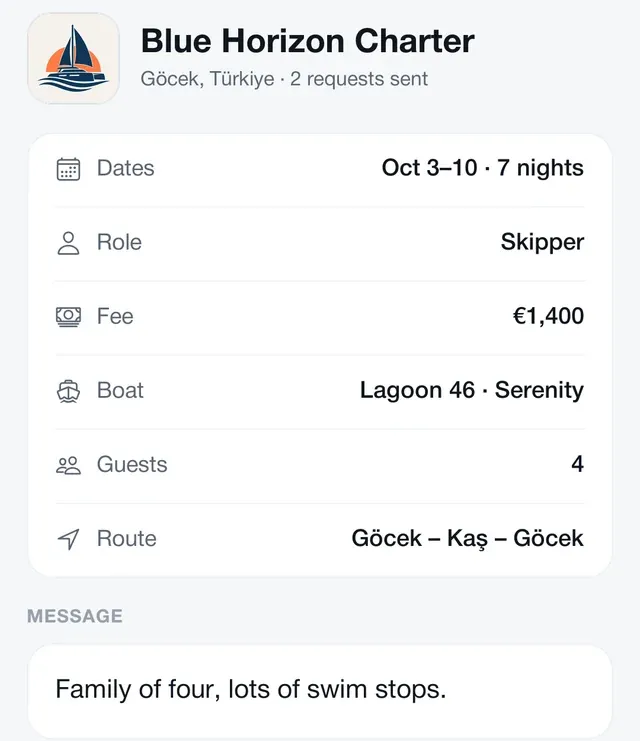
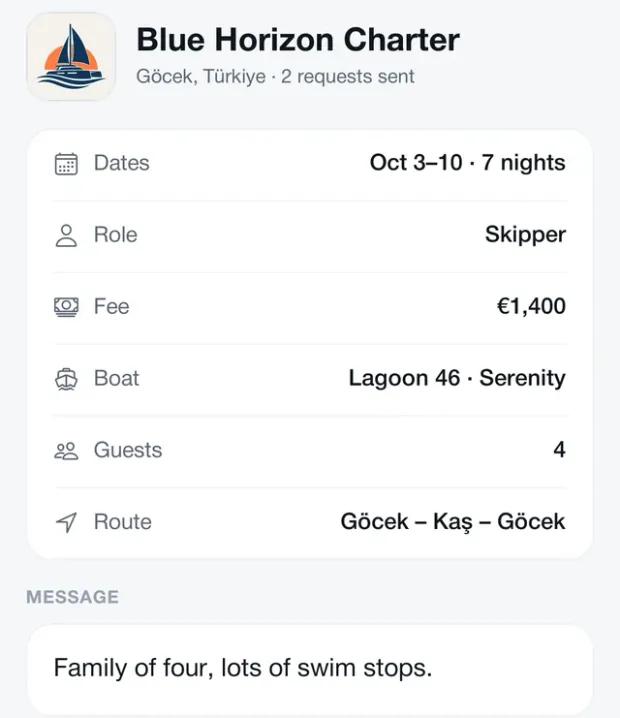
A company picks dates
They see your free dates without installing anything and send a request. The app tells you right away whether you're free.
-
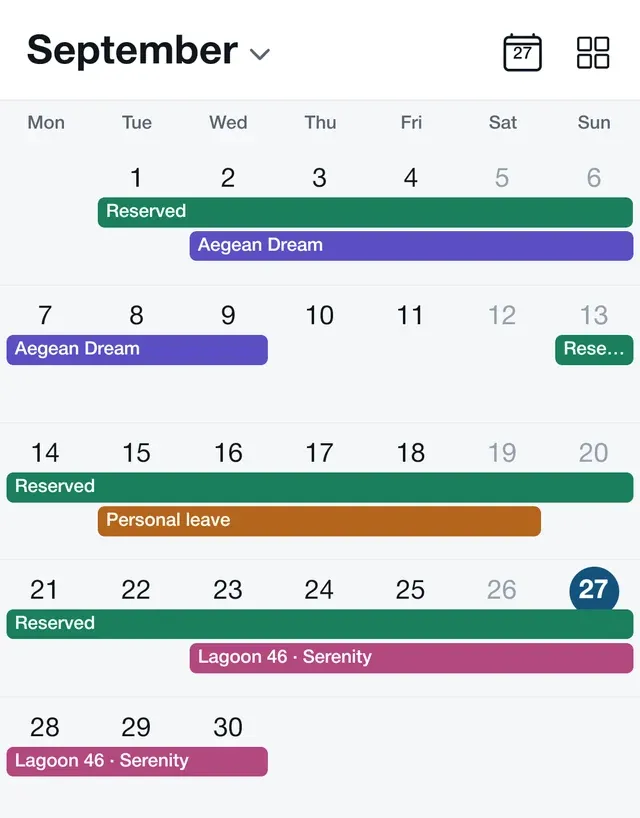
Accept, and the dates are held
An accepted request shows as reserved in your calendar and the company sees your answer. Decline with a reason if you like.
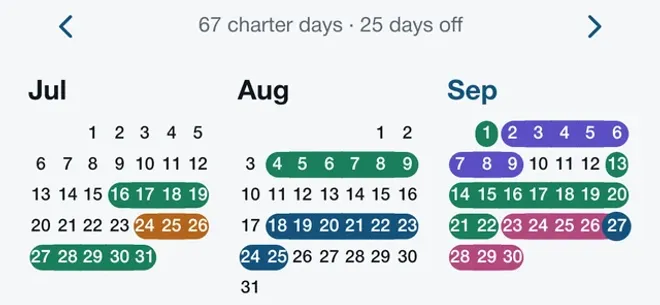
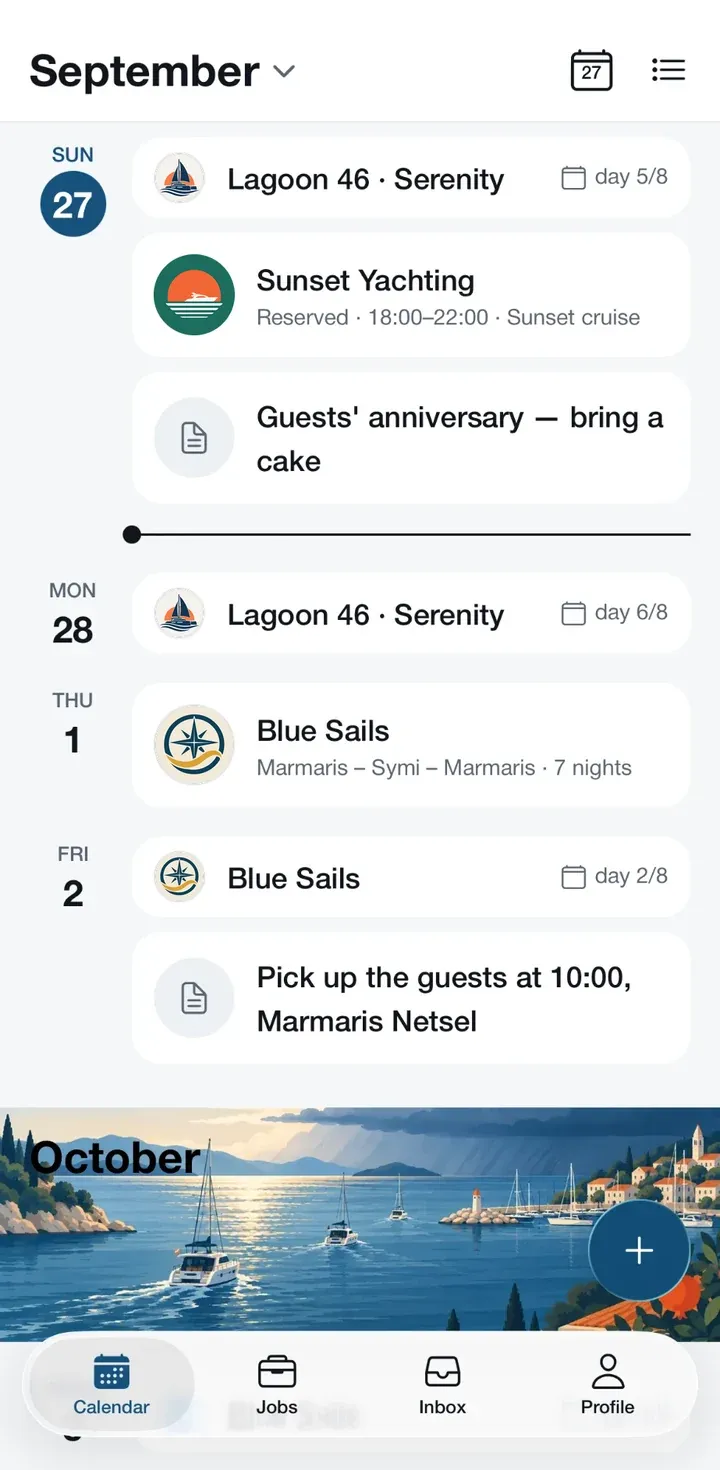
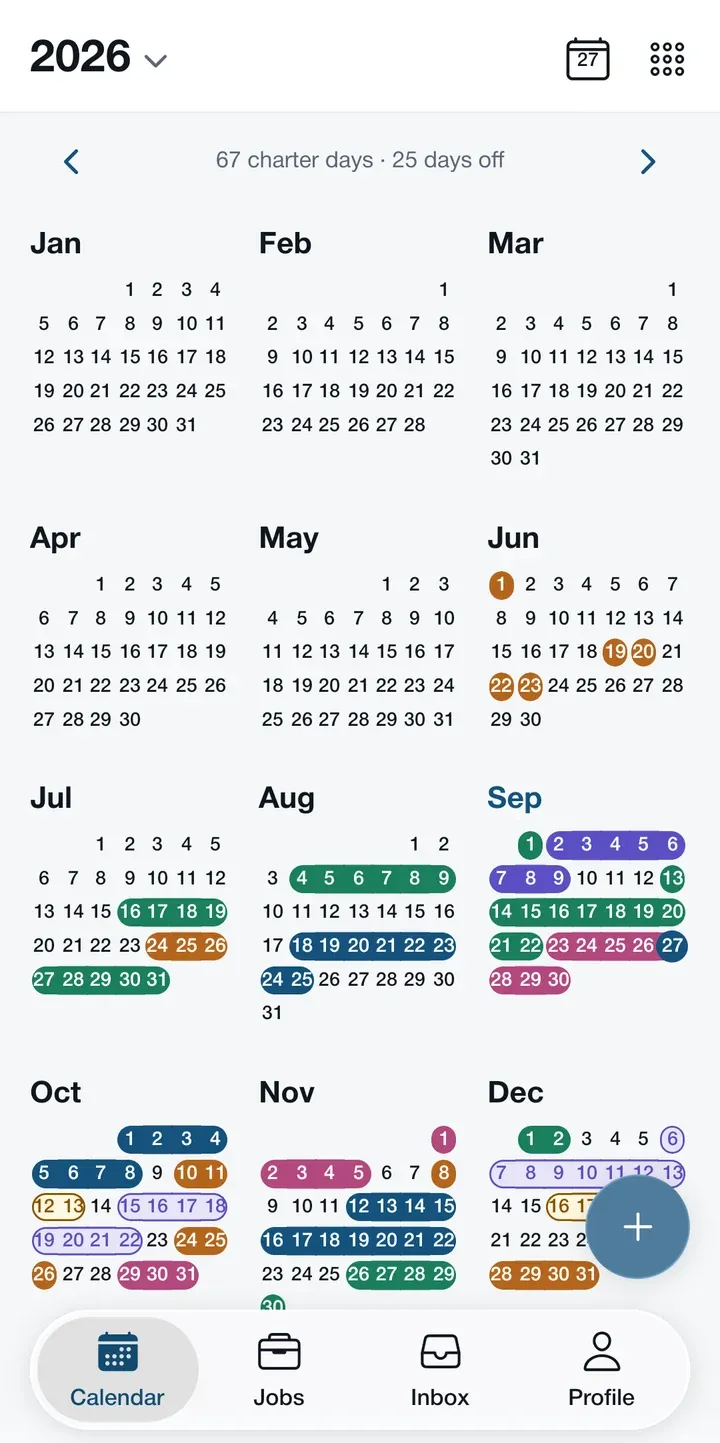
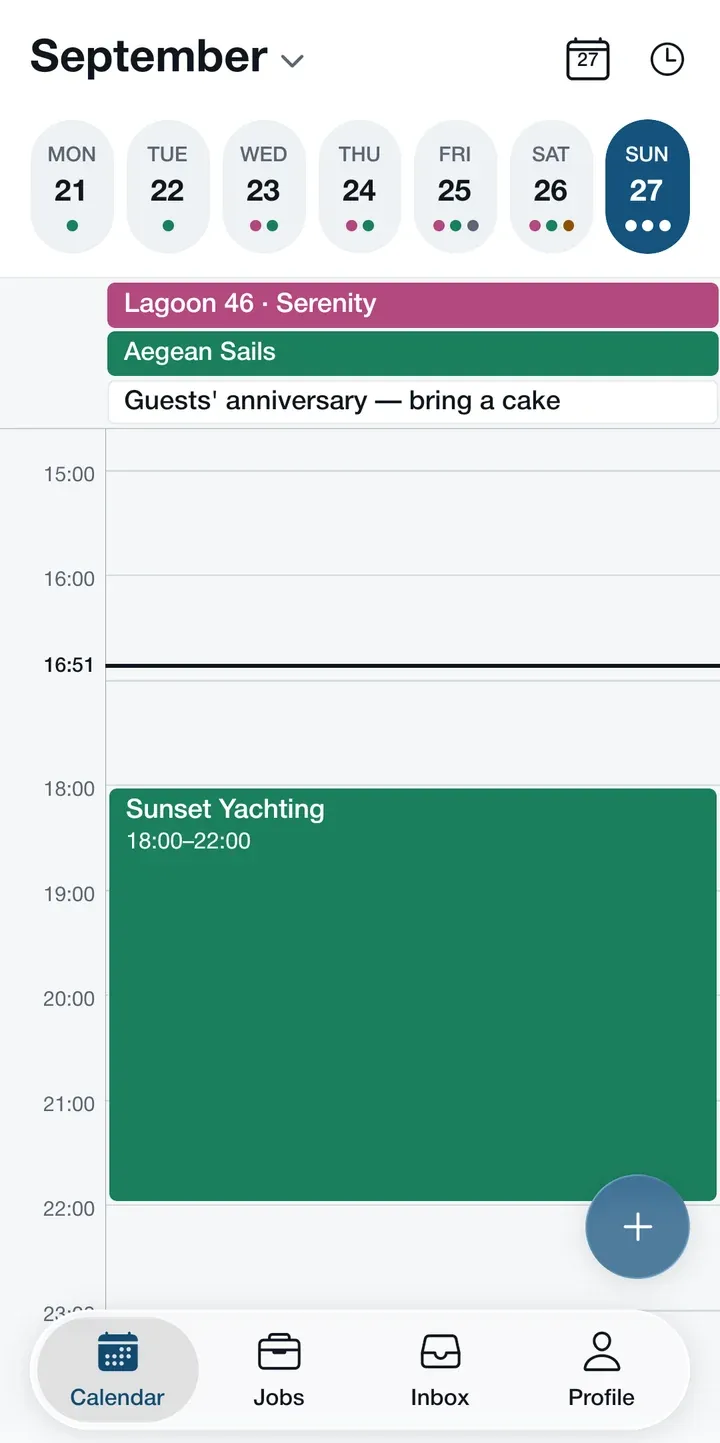
The whole season in one calendar.
Which boat on which day, which week is on option, when you are off. Switch between the schedule, month, year and day views in one tap.
-
Confirmed charters land in your calendar on their own.
-
Add an option, time off or a note in a few seconds.
-
Subscribe to it from Google Calendar or Apple Calendar.
Find the next job mid-season.
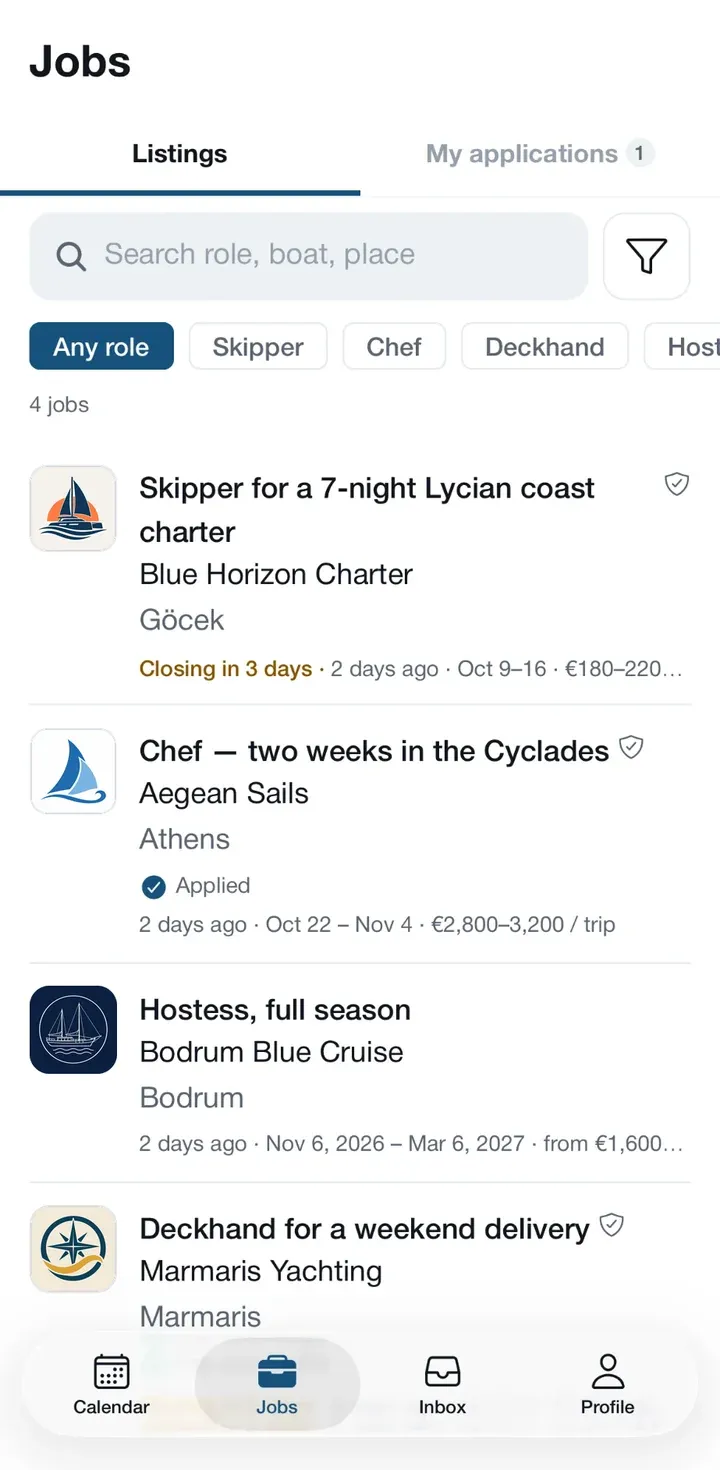
Listings from charter companies, filtered by your role. Dates, base and pay are on the card.
-
 See clashes early. Before you apply, the listing's dates are checked against your calendar.
 -
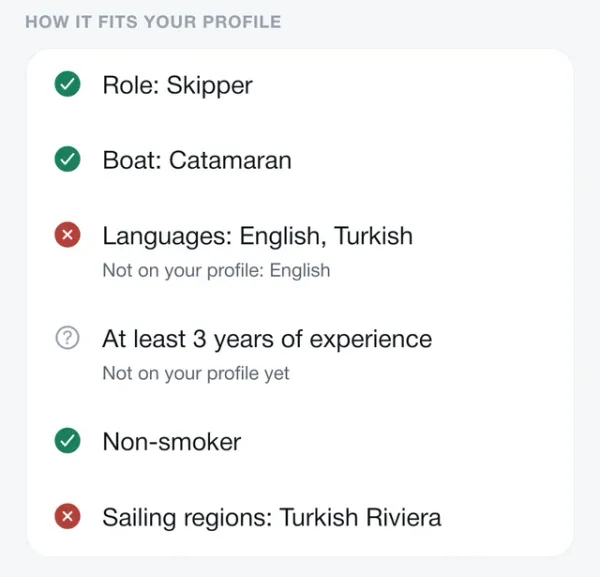
 Know what's missing. Line by line, you see which of the listing's requirements your profile doesn't cover yet.
 -
 All your applications in one place. Every application you send sits in one list, and you can withdraw one if plans change.
Also in the app
-
 Work rules Set the trip lengths, start days and notice you accept. Requests outside them are not sent.
 -
 Documents Licences and certificates with their expiry dates, always at hand.
 -
 Earnings Monthly and season totals from your charters.
 -
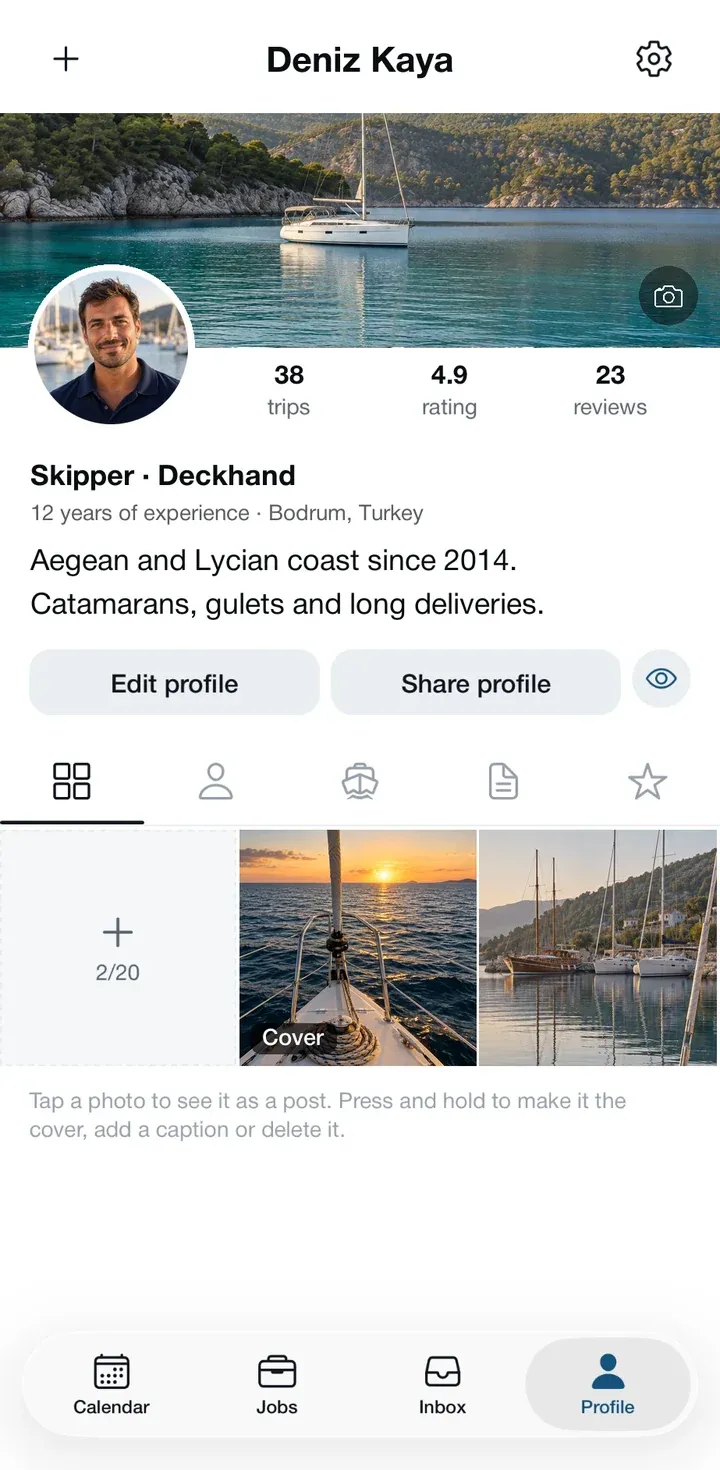
 Gallery Up to 20 photos from on board, shown on your profile.
Questions
Is it free?
Yes. Creating an account, publishing your profile and receiving requests are free.
How do companies find me?
You share your link. You are also listed in the crew directory of charter companies using Atlas; you can turn that off in Settings.
What happens when I accept a request?
The dates are held in your calendar and the company sees your answer. If you decline, you can add a reason; the company sees that too.
Can I keep out work I don't take?
Yes. In work preferences you set trip lengths, start days and how much notice you need; requests that break them cannot be sent.
Which devices does it run on?
Android through Google Play, iPhone through the App Store. You can also sign in with the same account in your browser.
Which languages?
The app is in English and Turkish. On your profile you show the languages you speak and how well.

Get your profile ready before the season starts.
Pick your roles, regions and languages, add a photo, and your link is ready to share.